
HubSpot credits are the usage-based currency behind many of HubSpot's AI and data features. If your team uses agents, AI actions in workflows or data syncing, credits decide how much you can do each month and when you start paying more. This guide explains how they work, what uses them and how to keep the cost under control.
What HubSpot Credits Are
HubSpot credits are a single pool of usage that sits across your whole HubSpot account. Instead of each AI or data feature having its own limit, they all draw from the same balance.
The system replaced the earlier, separate AI credits, so if you see older references to those, they now mean HubSpot credits.
Your paid subscriptions come with a monthly allowance of credits. The size of that allowance depends on which hubs you have and at which tier, and some hubs, such as Data Hub, add more on top. Unused credits don't build up indefinitely, so it's worth knowing roughly how many you use in a typical month.
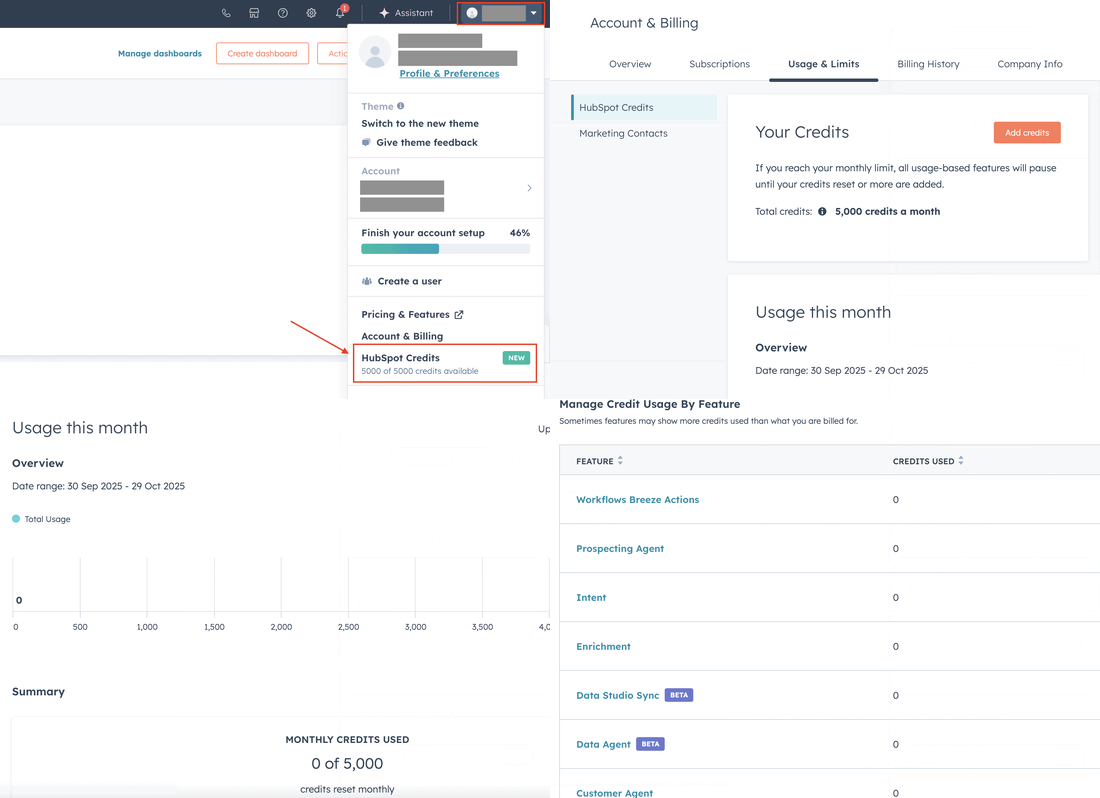
You can see your balance, your allowance and what has used credits in your account settings.
What Uses Credits
Not every AI feature in HubSpot uses credits. Everyday assistant features, such as drafting an email or summarising a record, are generally included in your subscription. Credits are mostly used by features that run work on your behalf, often at volume.
Typical examples include:
- Agents, such as the prospecting agent and the customer agent
- AI actions inside workflows
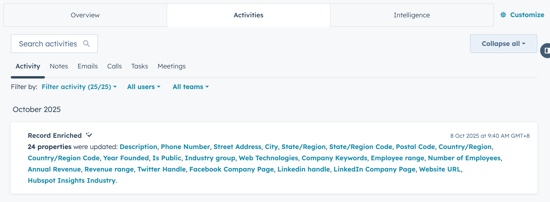
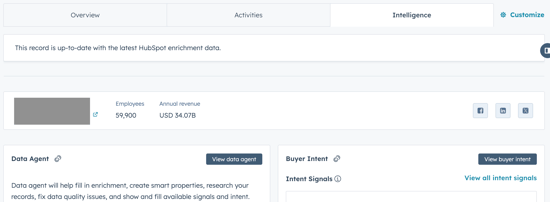
- Data enrichment of contact and company records
- Data syncing and transformation in Data Hub
HubSpot has changed which features use credits, and how many, more than once. Treat any list, including this one, as a starting point and check the current rates in your account before you switch something on at scale.
What Credits Cost
There are two parts to the cost.
- The included allowance. The credits that come with your subscription are already paid for. If your usage stays inside them, credits cost you nothing extra.
- Extra capacity. If you need more, you can buy additional credits on top of your subscription. HubSpot sets the pricing for these packs and has adjusted it over time, so check the current rate in your account or with your HubSpot account manager.
The real cost question is usually not the price of a credit. It's how many credits a feature uses per action, multiplied by how often it runs. An agent that runs on every new lead, or an enrichment setting applied to your whole database, can use far more than a team expects.
How to Keep Credit Use Under Control
Credits work best when someone decides where they go, rather than letting each feature draw from the pool as it's switched on.
- Start with a baseline. Check your usage page for a normal month before adding new agents or AI actions.
- Test on a small segment. Run a new agent or enrichment rule on a small list first, then multiply its usage by the full volume before rolling it out.
- Limit what runs automatically. Enrich new leads and target accounts rather than every old contact. Trigger AI actions only where the output gets used.
- Clean before you enrich. Remove duplicates and dead records first so you aren't paying to enrich data you're about to delete.
- Give one person ownership. Someone should review credit usage each month and decide what's worth the spend.
Why This Matters
Credits change how HubSpot's AI features are paid for. Instead of a fixed add-on price, the cost now depends on how much you use them. That makes it easy to try new features, but it also means costs can creep up without anyone noticing.
The teams that get the most from credits treat them like any other budget. They know what each feature is for, they check what it returns, and they stop the ones that don't earn their place. AI does the repetitive work; people still decide where it's worth using.
Watch: An overview of HubSpot's AI tools (by How to HubSpot). Some of the feature names have changed since this was recorded, but the overview is still useful.
If you want HubSpot's agents and data tools set up so you know what they cost before they run, we can help. See how we set up HubSpot AI and Data Hub.