
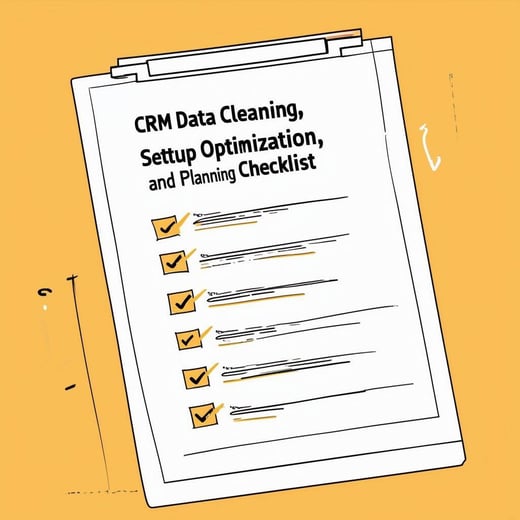
A free checklist to clean your HubSpot data, tidy the setup and plan the year ahead, one section at a time.
Five sections, from cleanup to team training
- 1Data cleaning and housekeepingDuplicates, inactive contacts, outdated details, unused custom properties, stalled deals and cluttered activity logs.
- 2Setup optimisationProperty standards and validation, workflows, marketing lists and emails, dashboards and reports.
- 3Future planningGoals in HubSpot, connected apps and integrations, user access, backups and security settings.
- 4Strategic initiativesLead nurturing, the marketing to sales handoff, segmentation, database health and account-based marketing.
- 5Training and documentationRefresher training for the team, and a record of every change you make during the cleanup.
Clean first, then set up, then plan
The checklist runs in this order on purpose. Plans built on messy data are plans built on the wrong numbers.
What changes once your CRM is cleaned up
Without a cleanup
- Duplicates skew your reportsThe same company counted twice, and the same lead called by two people.
- Workflows run on old listsEmails go to contacts who left years ago, or to lists nobody owns.
- Access driftsPeople who have left the business can still log in.
With a cleanup
- Reports match realityOne record per contact and company, and deals in the right stage.
- Automation you can rely onOutdated workflows are archived and the rest are tested.
- A setup the team understandsChanges are written down and everyone has the right access.
From checklist to a clean portal
Download the PDF
We email you the checklist. Print it or work through it on screen with your team.
Work one section at a time
Start with section 1. Merging duplicates and removing unused properties makes every later step easier.
Write down what changed
The last section asks you to document changes to workflows and properties. That record is your starting point next time.
Back up before you delete anything. Section 3 covers exporting your contact, company and deal data, but it is worth doing before you start section 1.
Want a second pair of eyes on your portal?
Our HubSpot Audit reviews your CRM data, Marketing Hub, Sales Hub, workflows and integrations, and gives you an action plan ranked by impact and effort.
Before you download
Is it only for the end of the year?
No. It works any time you want a reset: before planning a new year, after a busy quarter, or before a new campaign or integration.
Do I need HubSpot to use it?
It is written for HubSpot and mentions tools like duplicate management and goals, but most checks apply to any CRM.
Should I delete inactive contacts?
The checklist suggests a re-engagement campaign first. Export a backup before deleting anything.
Is it really free?
Yes. Fill in the form and we email you the PDF.
Get your copy of the checklist
- PDF checklist, 5 pages
- 27 checks across data, setup and planning
- Tick boxes to work through with your team