Coworking and flexible workspace operators run a busy mix of sales and service. Tours, enquiries, day passes, dedicated desks, private offices, renewals, events and member support all happen at once, often across more than one site. Hybrid work has made flexible space a normal part of how companies operate, and that means more enquiries to manage and more members to keep.
As you grow, you start to want fewer manual processes, reports you can trust, and one place where everyone can see what is happening with each prospect and member. That is where a CRM like HubSpot comes in.
What a CRM does for a flexible workspace
A CRM holds every prospect's and member's details, conversations, deals and support requests in one place. When that information is visible to the whole team, community managers, sales and operations can all pick up where someone else left off.
Here are 15 ways HubSpot can help your coworking or flexible workspace business, plus two bonus ones.
1. Build reports from within HubSpot
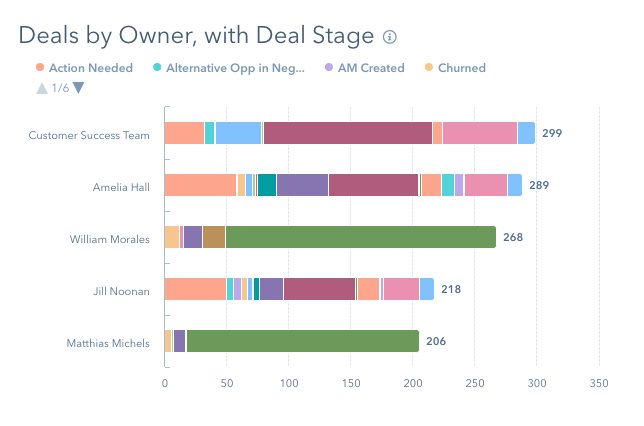
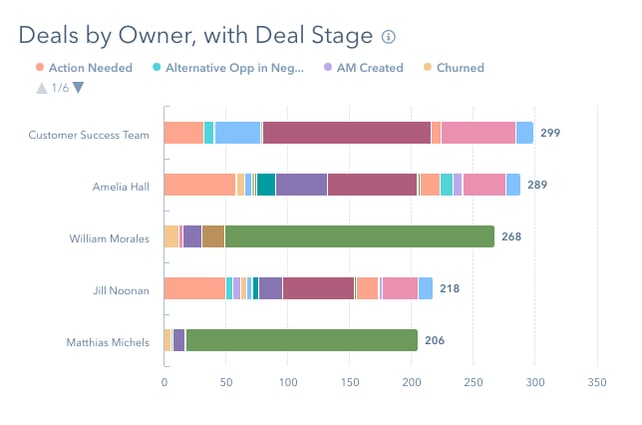
What you get out depends on what you put in. With contact, company, deal and ticket data in one place, you can build reports such as:
- Revenue this month by company type
- Revenue this quarter by deal type (private office, dedicated desk, hot desk, day pass)
- Complaint tickets this month by company type
- Close rate by deal type
- Forecast revenue for the quarter
- Churned or downgraded deals this month by deal type
2. Member management
See each member's company, plan, history, tickets and bookings context on one record. You will still need your workspace management platform (OfficeRnD, Nexudus or similar) for bookings and billing, but connecting it to HubSpot gives your team the full picture, so support feels more personal.
3. Meeting links for tours
Let prospects book a virtual or in-person tour straight into your team's calendars, without the back and forth. Round robin meeting links share enquiries across the team based on availability.
Say you have three sites with different staff at each. You choose whose availability shows for each site, the prospect uses one link, and HubSpot spreads the bookings across the right people. Sales and community managers can also have their own links for follow-up meetings with prospects and members.
4. Forms
Many websites use their own forms and sync the submissions into the CRM. When that sync breaks, enquiries go missing, often without anyone noticing.
With HubSpot forms on your website, every submission creates or updates a contact in the CRM directly. Each submission is time stamped and tied to the contact, so it can drive segmentation, follow-up emails and reporting.
5. Automated nurture emails
Email still works when it is relevant. Using HubSpot workflows, you can send timely, personal emails to new enquiries, day pass users, new members and members coming up for renewal. Onboarding, tour follow-ups and renewal reminders are all good places to start.
Review the results regularly and refine the targeting. Automation is not set and forget. It needs someone keeping an eye on it.
6. Task automation
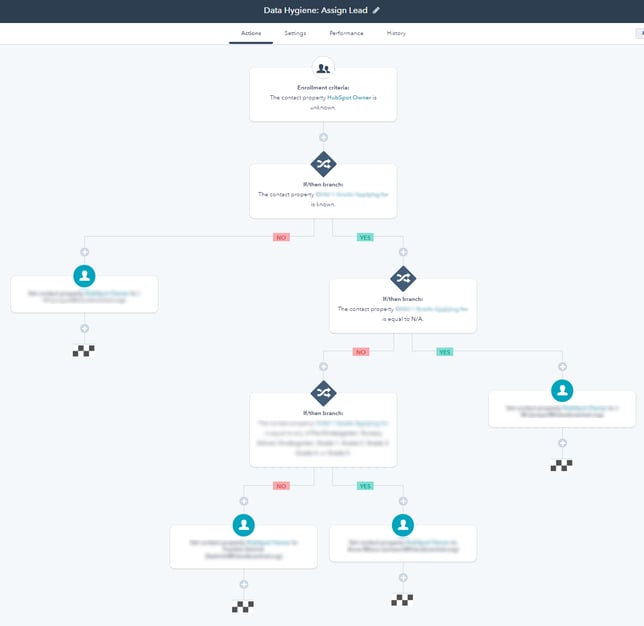
Let HubSpot handle the admin that tends to slip: property updates, follow-ups after a visitor check-in or brochure download, renewal check-ins and internal notifications. Tasks sit on the contact, company, deal or ticket record, so it is clear who owns what and whether service levels are being met.
7. Sales pipeline
Track new deals, renewals, upgrades, add-ons and downgrades in one pipeline, then build a live dashboard the team can check at any time. As the owner or manager, you get a clear view of the business without chasing anyone for an update.

8. Internal notifications
Let a salesperson know when a prospect opens their email, comes back to the pricing page or downloads a brochure. Set up only the alerts your team will actually act on.
9. Integrations
Connect the tools you already use, so data is not copied by hand. Common examples for flexible workspaces include accounting tools like Xero or QuickBooks, Google or Microsoft calendars, visitor management, workspace management platforms and help desk tools.
10. PandaDoc for proposals and agreements
Send proposals and membership agreements from HubSpot and see their status without leaving the deal record. PandaDoc can pull HubSpot data into your documents automatically, which saves retyping and reduces errors, and it can connect to payments so members pay once the agreement is signed.
See the integration on the HubSpot marketplace.

11. Event integrations
Community is at the heart of a good workspace, and events are one of the best ways for prospects to get a feel for yours. Prospects rarely convert straight away, so you need to know which events bring in people who later become members.
Connecting your event platform, such as Eventbrite, to HubSpot shows who registered and who attended, and creates new contacts automatically for people who were not already in your CRM.
12. Sales sequences
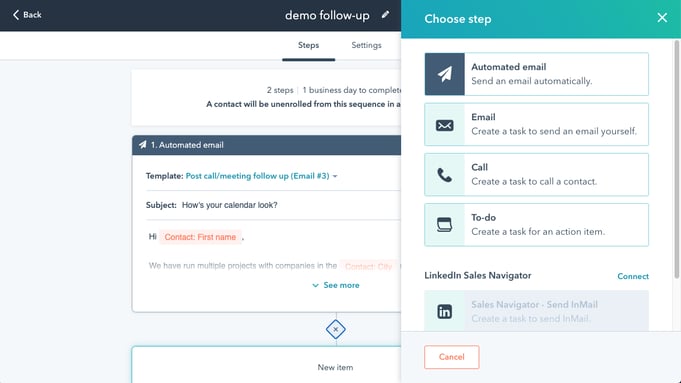
Outreach still works when it is personal. Sequences send a series of one-to-one emails and create tasks for your team to call or connect on LinkedIn, and they stop automatically when the prospect replies or books a meeting.
13. Account-based marketing
Focus on the companies that fit your ideal member profile, such as growing teams looking for private offices or companies with hybrid staff in your area. Identify them, group them and prioritise the warmest opportunities.
14. Slack integration
If your team uses Slack, HubSpot can post updates there, such as a message when a deal closes with the amount, the salesperson and the new member's company. It keeps everyone across what is happening without another report to check.
15. Host your website on HubSpot
With your website on Content Hub (formerly CMS Hub), forms, contacts and content all live in one system, and there are no plugins to keep patched.
One of the most useful features is smart content. You can show different content to different visitors based on what the CRM knows about them, such as their location, which site they are interested in, or how far along they are.
Bonus: ad tracking
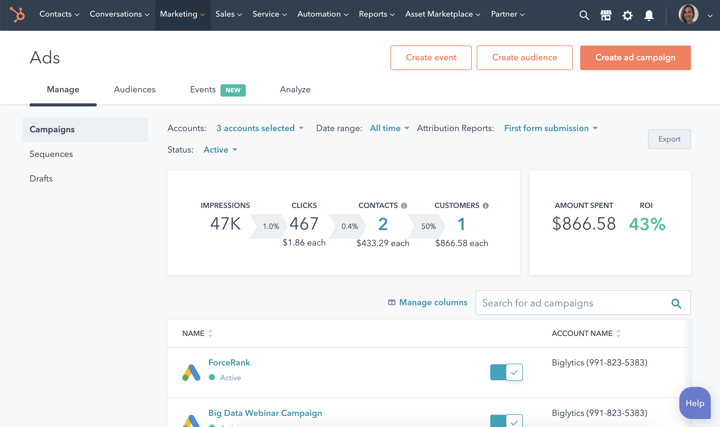
Clicks do not pay the rent. HubSpot's ads tool connects your Google, Meta and LinkedIn ads to the contacts and deals they produce, so you can see which campaigns bring in members, not just clicks. The ad a contact came from shows on their timeline, and you can build audiences from CRM lists without exporting and importing data. Sending deal stages back to Google Ads as offline conversions also helps Google optimise for real enquiries and members.
Bonus: member service and renewals
HubSpot can handle chat, feedback surveys, NPS and a knowledge base, so you may not need separate tools for each. Renewals are what keep a workspace's cash flow steady, so set up a clean handoff from sales to the community team and automatic tasks to check in with members well before their renewal date.
A CRM will not replace every tool you use. You will still need workspace management, billing and accounting software. What it does is connect them, so you can see your pipeline, member engagement and renewals in one place and spot problems early.
If you run a coworking or flexible workspace business and want HubSpot set up around how your sites actually work, we can help. See our HubSpot implementation service.