
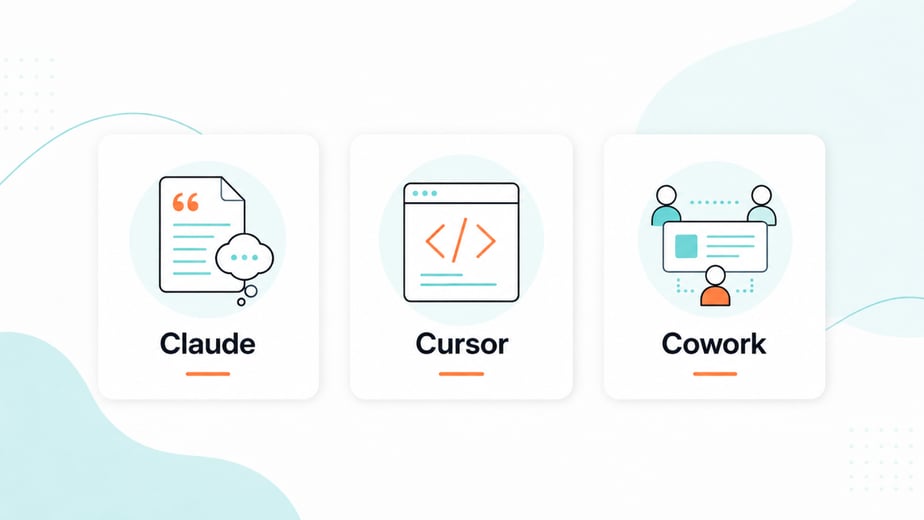
If you have been hearing names like Claude, Cursor and Cowork and quietly wondering whether you are supposed to be using all three, here is the short reassurance up front. You are not. These tools do different jobs for different kinds of people, and some of them are not built for a marketing or operations team at all.
So rather than add to the noise, here is a plain-English map. What each one is broadly for, who it actually suits, and how to work out which, if any, belongs in your week. No jargon, no pressure to adopt everything.
Claude: the everyday thinking and writing partner
Claude is the one most non-technical people will get the most from, and the easiest to start with. At its simplest, it is an AI you talk to. You give it a task in plain language and it helps you think, write, summarise, plan, and work through problems.
For a marketing or ops team, that covers a lot of real ground. Drafting and reshaping copy. Summarising a long document or a messy thread. Turning rough notes into something structured. Talking through an idea before you commit to it. You stay in charge of the judgment. Claude takes the blank-page grind and the busywork off the table so you get to a good version faster.
If you only ever touch one of these three, for most teams this is the one. It needs no technical setup and no code. You just use it the way you would a very fast, very well-read colleague who is happy to do the first pass.
Cursor: powerful, but built for people who write code
Cursor gets mentioned in the same breath as Claude, which causes a lot of confusion, so let us be straight about it. Cursor is a tool for software developers. It is an environment for writing and editing code, with AI built in to help do that faster.
If your work does not involve writing software, Cursor is almost certainly not for you, and that is completely fine. It is not a lesser version of Claude or a tool you are missing out on. It is a specialist instrument for a specific trade, the way accounting software is for accountants. A developer on your team or at your agency might live in it all day. For a marketer or an operations lead, it is simply the wrong tool for the job you are doing, and there is no need to feel behind for not using it.
The useful thing to take away is just the category. When you hear Cursor, mentally file it under "developer tooling" and move on, unless you write code.
Cowork: bringing AI into where the team already works
Cowork sits in a newer category, and the honest answer is that the exact shape of these tools is still settling. The broad idea is AI that works inside a shared team space rather than in a one-on-one chat window. Less "I open a tool and ask it something", more "AI is present in the place my team already collaborates and can help with the work happening there".
For a team, the appeal is that the help shows up in context, alongside the actual work and the people doing it, rather than off to the side in a separate app. That is genuinely useful when it fits how your team already operates.
Part of the appeal is how approachable it is. Where a tool like Claude Code is powerful but looks and feels like it was built for developers, Cowork is designed to be friendlier and less technical, so a non-technical team can use it without feeling out of their depth. For what it is worth, we personally use Claude Code day to day. That is our preference, not a recommendation. Each to their own, and the right tool is the one that fits how your team actually works.
This space is moving quickly, and the right move is to watch how it lands for the way your team actually works before reorganising around it. There is no prize for being first into a category that is still finding its footing. The fundamentals, clean processes and people who know what good looks like, matter far more than which collaborative AI tool you picked.
How to work out what you actually need
Strip it back and the decision is not complicated.
- If you write, plan, analyse or communicate for a living, Claude is the tool that will pay off fastest, and you can start today with no setup.
- If you or your team write software, Cursor belongs in that conversation. If you do not, you can safely set it aside without missing anything.
- If you are curious about AI working inside your team's shared space, Cowork is the more user-friendly, less technical option to keep an eye on. Let the category mature and let your own processes lead, rather than chasing the newest tool.
The thread running through all of it is the same one we come back to with every client. The tool is not the strategy. These are instruments, and a good instrument in the hands of someone who knows what they are trying to achieve is worth far more than a drawer full of tools nobody has a clear use for. Pick the one that matches the work you actually do, get genuinely good with it, and ignore the rest until you have a real reason not to.
If you are trying to work out which AI tools are worth your team's time and which are a distraction for where you are right now, that is a conversation worth having. It usually saves more time than any single tool does, because the real win is spending your effort in the right place.