
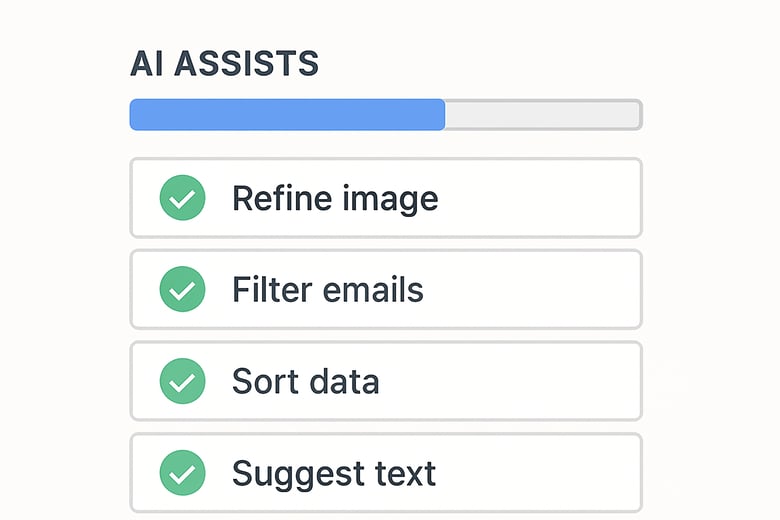
Most teams don’t struggle with AI because it’s too advanced. They struggle because they try to use it in big, disruptive ways instead of small, helpful ones.
The real value of AI inside HubSpot shows up in everyday moments. It saves time, keeps context in one place, and stops things slipping through the cracks.
Below are simple, low-friction ways HubSpot users can use AI daily, without changing workflows or creating new processes.
1. Summarise long email threads before replying
Instead of scrolling through months of back-and-forth, use AI to summarise the thread into a few clear points.
This is especially useful when:
- A deal has been handed over
- A contact resurfaces after a long gap
- Multiple stakeholders are involved
You get context instantly and respond more confidently.
2. Turn call transcripts into clear next steps
After sales or discovery calls, use AI to extract:
- Key discussion points
- Objections or concerns
- Action items
This reduces manual note-taking and keeps CRM records useful instead of cluttered.
3. Draft follow-up emails without starting from a blank page
AI works best as a starting point.
Use it to draft:
- Post-meeting follow-ups
- Re-engagement emails
- Inbound enquiry responses
You still personalise, but you save time and mental energy.
4. Ask who a good connection is within a target company
Instead of guessing who to reach out to, ask AI questions like:
- “Who is the most relevant contact at this company based on our past deals?”
- “Which role typically influences buying decisions for this product?”
This helps sales and marketing teams focus outreach on the right people, not just any contact.
5. Research companies faster for smarter outreach and campaigns
AI can quickly summarise:
- What a company does
- Their size and market
- Recent activity or context
- How they compare to existing customers
This makes outreach and campaign messaging more relevant without hours of manual research.
6. Ask simple questions about CRM data instead of building reports
Not everyone wants to build reports.
AI lowers the barrier by letting users ask things like:
- “Which deals need attention today?”
- “Which leads are most engaged right now?”
- “What opportunities haven’t been touched in a week?”
This keeps data accessible for non-technical users.
7. Catch missing or untouched leads early
AI can help surface:
- Leads that haven’t been contacted
- Deals with no recent activity
- Records that stalled unexpectedly
This prevents revenue leaks that often go unnoticed until it’s too late.
8. Prepare for meetings in seconds
Before a call, use AI to summarise:
- Recent interactions
- Deal history
- Open questions or risks
This is one of the easiest ways to sound prepared without spending time clicking through records.
9. Keep tasks and deals from falling through the cracks
Instead of relying on memory or manual checks, AI can help flag:
- Overdue tasks
- Deals sitting idle
- Follow-ups that were promised but not completed
This is particularly valuable for busy founders and sales teams juggling multiple priorities.
10. Improve internal notes and handovers
AI can turn rough notes into clear summaries for:
- Sales-to-sales handovers
- Sales-to-customer success transitions
- Support escalations
Clear internal context reduces friction and prevents information loss.
11. Generate quick summaries for managers or stakeholders
When you need to update someone quickly, AI can summarise:
- Pipeline changes
- Deal risks
- Campaign context
This saves time and keeps communication consistent without extra reporting.
12. Use AI as a thinking partner, not an autopilot
The most effective users don’t hand decisions to AI.
They use it to:
- Sanity-check thinking
- Explore alternative wording or angles
- Surface patterns faster
Judgement stays human. AI simply speeds it up.
Start with assistants, then add agents
HubSpot's AI comes in two broad forms, and knowing the difference tells you where to begin.
Assistants help with day-to-day work. They draft, summarise and answer questions, and a person stays in control of what happens next. Every win on this list is an assistant use. They need little setup, they don't depend on perfect data, and they help your team learn how AI behaves.
Agents act on their own within limits you set. They can prospect, triage service requests or run steps in a process. Because they act more independently, they need clean CRM data, documented processes, clear ownership and someone reviewing their output.
Most disappointment with HubSpot AI comes from starting with agents before that structure exists, or expecting AI to fix poor data. If your goal is to save time and get quicker answers, start with assistants. If your goal is to automate repeatable work and extend your team's capacity, explore agents once the basics are solid.
How to Think About AI in HubSpot
You don’t need to “roll out AI.”
Start by asking:
- Where do I lose time every day?
- Where do things slip through the cracks?
- Where does context get lost?
Apply AI there, lightly and on purpose.
AI inside HubSpot doesn’t need to be flashy to be valuable.
Small, everyday uses compound:
- Less admin
- Better context
- Fewer missed leads
- Smarter outreach
That’s how AI earns trust: by helping teams work better, one interaction at a time.
If you'd like help setting up HubSpot's AI tools so they work with your data rather than around it, we can help. See how we set up HubSpot AI.